
“Device fingerprint” is often used as if it names one universal record that every application can read. In practice, identifiers, permissions, account data, network context, and application behavior are different categories. Their availability depends on the platform, software, and access involved. A broad marketing claim cannot establish exactly what YouTube collects or how it evaluates a specific account.
For a channel team, the useful questions are practical: what information do your tools collect, what access have you granted, and what is necessary for the task? Review those boundaries without inventing an internal Google trust score or treating hardware identity changes as a route around enforcement.
Separate identifiers from observations
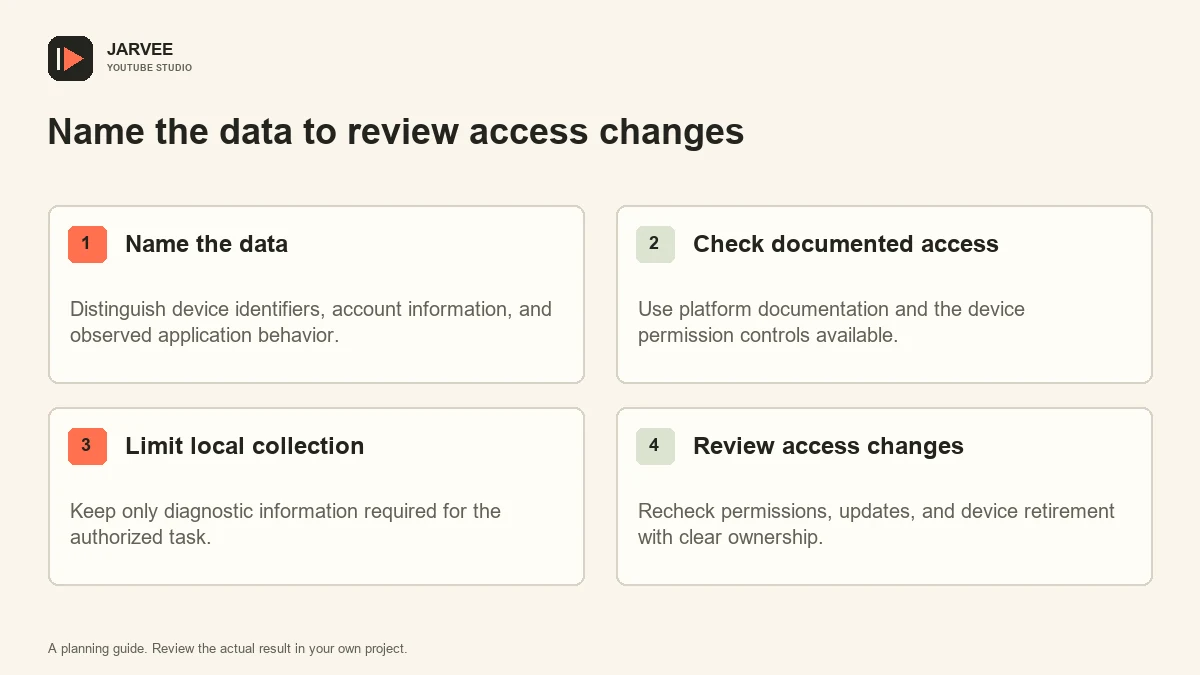
An identifier distinguishes something within a defined scope. It might relate to an app installation, an account, or a device characteristic. An observation describes a state or behavior, such as an application version or a connection failure. These are not interchangeable, even when a dashboard displays them in adjacent columns.
Account information also has its own scope. A channel name, signed-in identity, and recovery address serve different purposes. Do not call every visible account field a hardware fingerprint. Precise language helps the team understand what a tool actually needs and what data it should avoid collecting.
Network information adds another category. A connection address may change for ordinary reasons and can be shared by many users. It is not a reliable substitute for ownership or authorization. Claims that one address type guarantees account trust confuse an infrastructure detail with an entire security decision.
Use documented Android boundaries
Android’s identifier guidance recommends choosing appropriately scoped, privacy-preserving identifiers and avoiding unnecessary hardware identifiers. It also describes restrictions and use cases. This documentation helps explain Android design choices; it does not reveal a private YouTube fraud model.
Check the actual operating-system version and relevant permissions before making assumptions about access. A claim based on an old device, rooted environment, or special administrative capability may not apply to an ordinary current phone. Keep those conditions explicit when reviewing a technical report or a vendor’s documentation.
If a tool claims to read a particular field, ask why it needs that field and how the information is stored. The answer should relate to a legitimate function, not merely to an impressive list of telemetry terms. An inability to explain necessity is a reason to investigate further before deployment.
Review the tools you control
List applications, workstation utilities, browser extensions, and administrative integrations involved in the workflow. Record their purpose, owner, granted access, and data destinations. A team may scrutinize the phone while overlooking a desktop utility that captures screenshots or stores account details in logs.
Inspect permissions through the controls available on the device and account. Remove access that is no longer needed through the appropriate documented process. Do not assume an unused application is harmless merely because nobody opens it regularly. Its granted access and stored data still deserve review.
The site’s activity review guide supports a useful habit here: compare the intended operation with what the system recorded. Extend that review to the information captured, not just whether a task completed.
Minimize diagnostic collection
Collect the smallest evidence set that answers the question. A version mismatch may require a version number and screenshot of the relevant interface, not a complete device dump. A connection issue may need a timestamp and error state, not a list of every installed account.
Review captures before sharing them. Notifications, channel identities, email addresses, and customer material can appear unexpectedly. Use an approved storage location with appropriate access and retention. A support ticket should contain enough information to diagnose the issue without becoming a permanent archive of unrelated personal data.
Keep secrets out of ordinary logs. Passwords, verification codes, session tokens, and recovery material should not be copied into a device inventory. If a diagnostic process exposes them, stop and correct the collection path before repeating it across more devices.
Reject unsupported trust claims
A physical phone does not guarantee that every action is acceptable or that an account will never face verification. An emulator is not proof of malicious intent, and a particular browser feature does not establish a policy violation by itself. Assess the actual use, authorization, and applicable rules rather than a simplistic good-device versus bad-device story.
Do not alter identifiers, export sessions, or rotate infrastructure to evade account restrictions. Those actions can create additional security and policy problems while failing to address the underlying issue. Use legitimate verification, recovery, and appeal routes when the account or channel requires them.
Our explanation of common YouTube terms can help keep internal reports clear. Label an observed error as an error, a suspected cause as a hypothesis, and a documented restriction as a restriction. Avoid replacing uncertainty with an invented fingerprint score.
Make privacy review part of maintenance
Revisit the inventory when applications update, new tools are introduced, operators leave, or devices are retired. A permission set that made sense during a pilot may be unnecessary later. Assign an owner so access does not persist simply because nobody remembers why it was granted.
For each change, record what was reviewed, what access remains, and where relevant data is stored. Include a retention decision for diagnostic records. Keeping every capture indefinitely is rarely necessary for a routine production workflow and makes later cleanup more difficult.
A useful privacy review ends with documented purpose, appropriately limited access, and a clear route to remove it. It does not require speculation about undisclosed detection systems. Understanding the boundaries of the data you control is a concrete, maintainable responsibility.
Ask better questions about a new utility
Before installing a utility across the team, ask what it reads, what it changes, whether it sends data elsewhere, how access can be revoked, and how its records can be deleted. Request documentation that matches the version you will use. A feature list containing “device intelligence” or “trust management” does not answer those operational questions.
Run an approved pilot with limited non-sensitive data where practical. Compare the actual logs and permissions with the stated purpose, and record any discrepancy. If the vendor cannot explain a collection behavior, defer broad deployment until the responsible reviewer understands it. This is a review of the utility’s behavior, not an attempt to reproduce or evade a platform’s private account-security decisions.
Keep the approval record with the tool inventory. Future operators need to understand the permitted use and limitations without relying on a verbal promise made during the original trial.
KEEP EXPLORING
Put the workflow in context.
See the five YouTube tools available in SMTasker and choose the actions that fit your account.
Explore the tools