
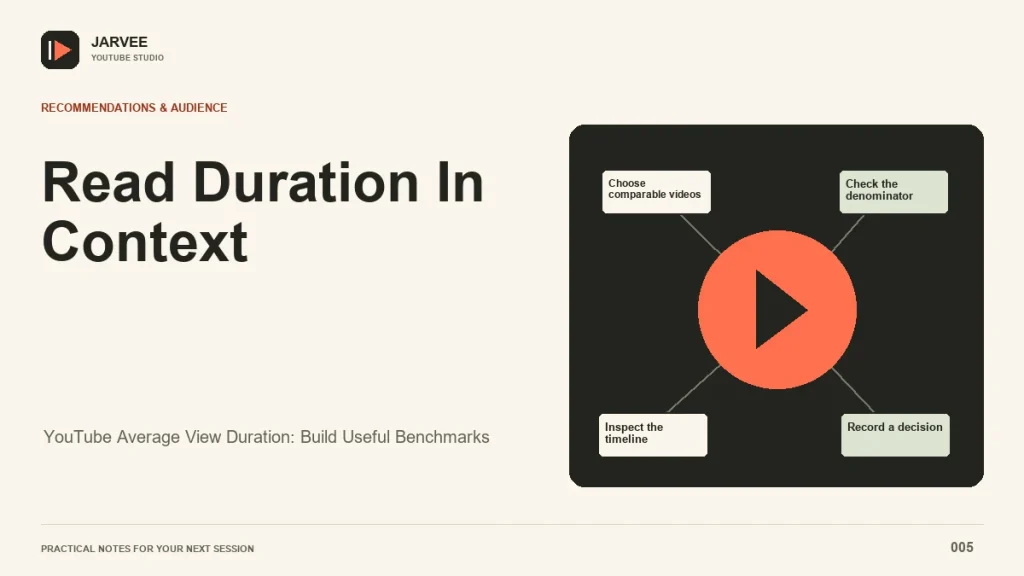
Average view duration is useful because it connects an upload with the time people spent watching. It becomes misleading when a creator treats it as a universal pass mark. Four minutes may represent a thorough watch of a short explanation and a brief sample of a long interview. The number needs a denominator, a purpose, and an audience before it can guide a decision.
Build benchmarks from comparable work on your channel, then use them to ask better editorial questions. A duration report can help locate a weak explanation or a poor promise. It cannot tell you that crossing a particular percentage automatically unlocks a new recommendation tier, and it should not persuade you to stretch a finished answer.
Know which question the metric answers
Average view duration summarizes time watched for the selected content and reporting context. It is different from total watch time, which also reflects the amount of viewing. Average percentage viewed expresses duration relative to the video’s length. Reading these together helps separate a longer video from a more complete watch, while the retention curve shows where viewing changed.
YouTube’s Engagement report guide explains where creators can review average view duration, watch time, and retention. Check the labels and definitions in the report you are using, especially when comparing formats. Public starts, engaged viewing, and a retention denominator should not be treated as interchangeable counts.
For a simple illustrative calculation, an eight-minute video watched for four minutes on average has an average duration equal to half its running time. A twenty-minute video watched for six minutes has a longer average duration but a smaller share of the full video. Neither result alone proves which experience viewers valued more. The videos may solve different problems for different people.
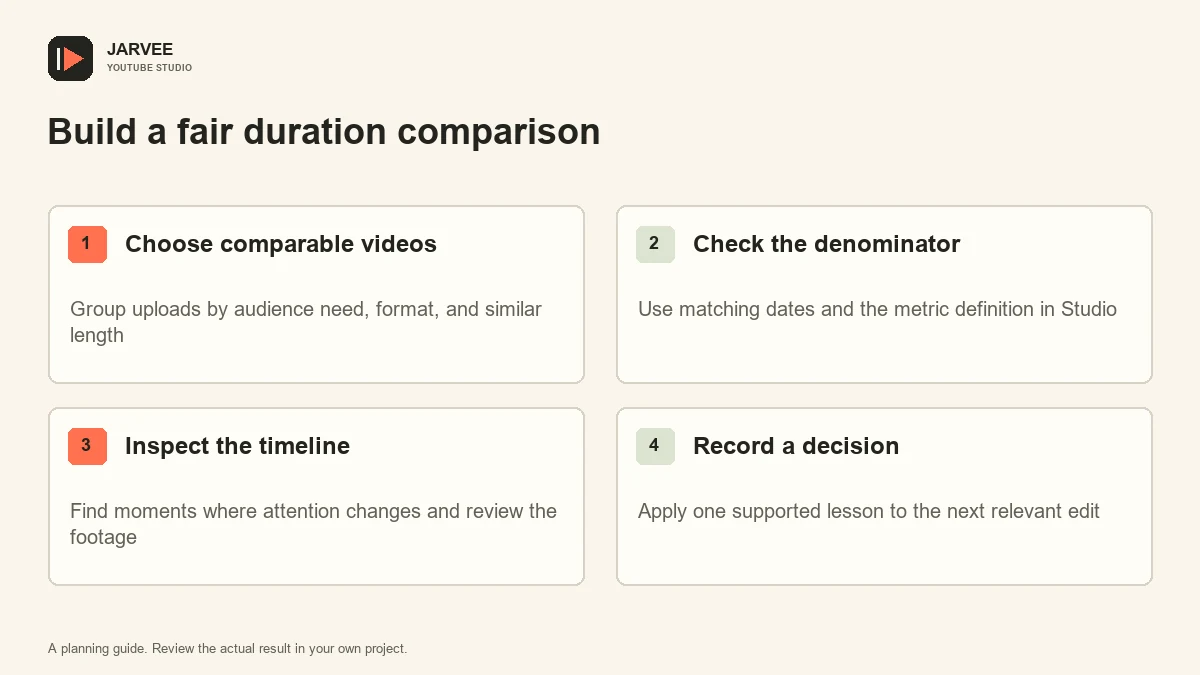
Create comparison groups that mean something
Separate concise tutorials, interviews, reviews, and entertainment episodes before looking for a benchmark. Within each group, note approximate length and viewer intent. A troubleshooting video designed to answer one urgent question has a different natural stopping point from a story whose ending provides the main payoff. Comparing them without context can reward the wrong editorial behavior.
Use the same reporting window and upload age where practical. An older evergreen tutorial may now attract mostly search traffic, while a new episode initially reaches familiar viewers. Differences in traffic sources, device use, and audience knowledge can affect the comparison. You do not need to control every variable perfectly, but you should record the obvious differences before explaining the result.
Choose a recent range of relevant uploads rather than the channel’s single best video. A striking outlier can inspire an idea, but it makes a poor minimum requirement. Write down a typical range and the circumstances that might explain unusually high or low figures. The site’s guide to common YouTube analytics terms can help keep the team’s notes consistent.
Use the curve to make the average actionable
A lower average duration tells you that something changed; it does not identify the edit to make. Open the retention timeline and watch the footage around meaningful drops. Check whether the opening fulfills the title, whether a demonstration becomes difficult to follow, and whether a section repeats material the audience already understands.
A gradual decline is different from a sharp change around one sentence. A spike deserves inspection too. Perhaps viewers replayed an excellent demonstration. Perhaps a screen was too small and forced them to look again. The remedy could be a larger close-up rather than a faster cut. Let the content explain the graph before choosing an editing style.
Look at the ending in context. If the main task is complete, some departures are unsurprising. A long farewell may create an avoidable tail, but removing the farewell does not magically make the earlier explanation better. Consider ending when the value is delivered, then offering a clearly related next step while the viewer still understands its benefit.
Adjust length to the work the video must do
Before cutting, write a list of necessary steps, examples, and limitations. Remove material that does not help the viewer reach the result. Keep material that prevents a plausible misunderstanding, even if it makes the video longer. The goal is an efficient explanation, not the shortest possible runtime or the highest possible completion percentage.
For an illustrative interview, a strong six-minute passage might be buried after a long introduction. The next episode could begin with a clear premise and move housekeeping to the description. For an illustrative software lesson, a low average could reflect a title attracting beginners to an advanced workflow. That problem calls for clearer scope, not simply cutting pauses from every sentence.
The guide to planning YouTube topics around audience needs is useful here. Sometimes a sprawling upload contains two different promises that deserve separate videos. Splitting them helps each viewer find a focused answer, provided each resulting video stands on its own and does not withhold an essential step.
Keep a short record of what you learn
For each reviewed video, record the comparison group, reporting dates, traffic context, one significant moment, and the next decision. “Show the finished seam before explaining the stitching pattern” is actionable. “Increase retention” is only a goal. A concrete note makes it easier to see whether a later video actually applied the lesson.
Review several examples before promoting a preference into a channel rule. A concise opening may help many lessons, but a documentary sometimes needs a scene to establish its stakes. A quieter explanation may work better than a dense montage. Your benchmark should support judgment rather than erase the differences that make each format useful.
Teams using YouTube video viewing routines managed through SMTasker's workspace can keep Android device activity logs separate from Studio reporting. Sources, schedules, and limits describe operational configuration; they do not calculate audience retention or make automated viewing representative of real demand. Use native analytics for the audience question.
Return to the benchmark when you have a relevant new sample or a material change in format. Keep the comparisons honest and the resulting edits specific. Average view duration then becomes a practical diagnostic tool: it helps you investigate how a video is watched while leaving the final editorial decision with the person who understands its purpose.
Retain an occasional example that performed differently from your expectation. Reviewing that exception can reveal an audience need the usual averages conceal. A short answer that people finish quickly may deserve a follow-up, while a longer lesson with modest completion may still solve a demanding task for the right viewers.
KEEP EXPLORING
Put the workflow in context.
See the five YouTube tools available in SMTasker and choose the actions that fit your account.
Explore the tools