
A person searching for “replace a leaking kitchen tap” arrives with a task. A person browsing YouTube over lunch may not have planned to watch plumbing content at all. Both can become valuable viewers, but the invitation that works for one may do little for the other. Browse and Search describe different discovery contexts, not different levels of creator success.
You do not need to choose a single traffic source for your entire channel. You need to understand what each video offers, who needs it, and why someone would choose it in that moment. A useful library can contain precise answers, broader stories, and videos that serve both purposes at different points in their life.
What the viewer brings to the decision
Search begins with an expressed query. The viewer may want instructions, a review, a definition, or a particular creator. Useful search packaging makes the subject and scope easy to recognize. A title about repairing a specific tap should identify the relevant repair rather than hide it behind a mysterious phrase. The opening should confirm the problem and show that the explanation fits.
Browse presents videos while the viewer considers several possible interests. The title and thumbnail have to communicate why this particular idea deserves attention. A clear transformation, an unresolved question, or a compelling event can provide that reason. Familiarity with the host may help returning viewers, while new viewers need enough context to understand the premise without recognizing the channel.
These are editorial distinctions, not rigid boundaries. A strong tutorial can find a browsing audience, and an interesting documentary can later attract searches. Avoid adding a second promise just to chase both. If the title advertises a beginner repair but the video mainly tells a renovation story, the mismatch can frustrate either audience.
Build a useful mix of topics
List the problems your audience actively names. Customer questions, repeated comments, and the language people use when asking for help can reveal specific search-oriented subjects. Check that each proposed answer is something you can demonstrate accurately. A narrow, well-explained problem often makes a more useful video than a broad overview you cannot support with examples.
Next, list stories or demonstrations that could interest the same people before they know what to ask. A craft channel might pair a practical guide to sharpening a tool with a restoration story showing why that tool matters. The videos share an audience but fulfill different needs. Neither requires a claim that a fixed percentage of channel traffic must come from Browse.
Plan production around the channel’s resources. Search-focused updates may require checking new product versions. Browse-led stories may require stronger footage or a more developed narrative. Our guide to finding useful YouTube video ideas can help turn those needs into a manageable editorial list.
Compare metrics inside their context
An overall click-through rate blends audiences and placements. It can move even when the creative itself has not changed. Compare Search with Search and Browse with Browse where the reports allow, using similar dates and upload ages. Note changes in topic demand and the size of the audience being reached before treating a percentage movement as a packaging verdict.
YouTube’s explanation of impressions and CTR notes that broader reach can accompany lower CTR. That is a reason to examine reach and response together. A modest click rate on many relevant Browse impressions may bring more interested viewers than a very high rate from a tiny group already looking for the channel.
Watch what happens after the choice. A query can attract people who need only one small section of a tutorial. A browsing audience may need an introduction to the stakes before a detailed demonstration. Examine the retention curve and comments to see whether the video accommodates those needs. The useful question is whether viewers got what they expected, not which source wins a general benchmark contest.
An illustrative planning decision
Imagine a home cooking channel deciding between “How to freeze cooked rice” and “I stopped wasting my leftover rice.” The first promises a direct answer about a particular task. The second suggests an experience with a practical outcome. Either can be useful, but they call for different openings and different evidence.
For the direct answer, show the storage method, explain the relevant limitations, and make essential steps easy to follow. For the experience, establish the waste problem, show several applications, and explain what changed. Do not use the story title for a video that only repeats a short instruction. Do not stretch a simple instruction into an unrelated lifestyle narrative to make it feel more suitable for Browse.
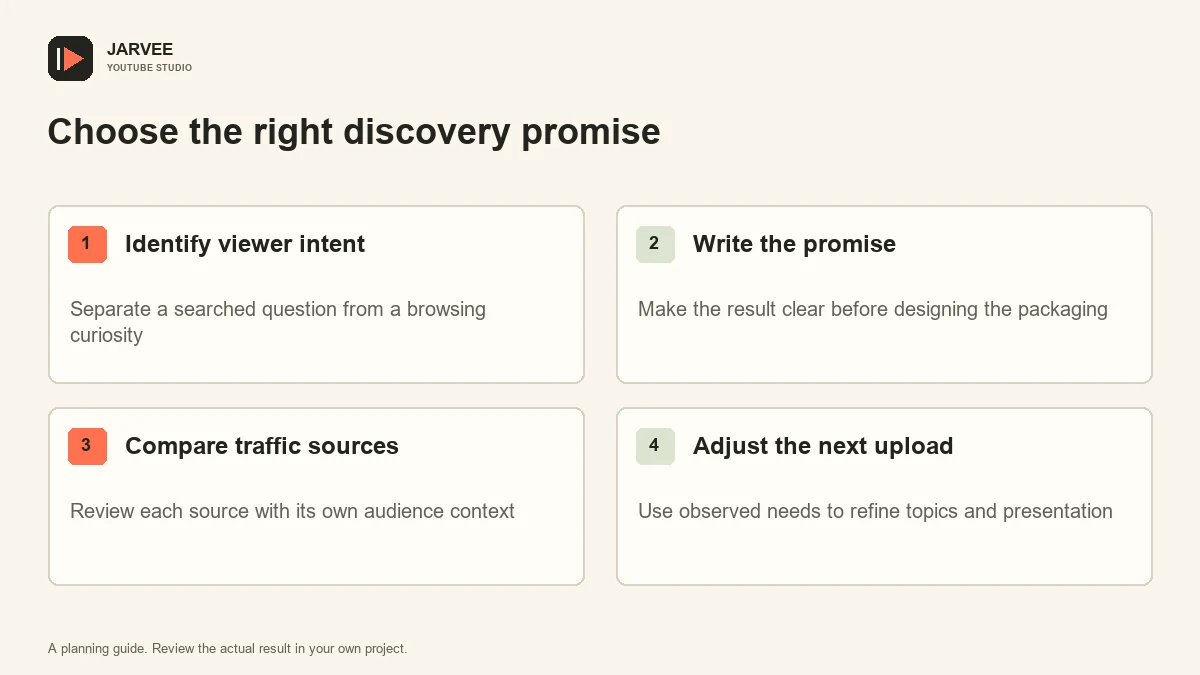
After publication, review where interested viewers actually came from. Perhaps the practical video begins in Search and later appears in Browse. Perhaps the story is found through queries about leftovers. Use that result to improve future programming without rewriting the channel’s strategy around one upload. Discovery sources describe observed behavior; they are not permanent labels stamped onto your work.
Make improvements you can explain
If Search viewers repeatedly ask about a missing model, region, or prerequisite, clarify the scope in the description or plan a separate answer. If Browse viewers leave before understanding the point, revise the next opening to show the stakes earlier. If people choose the video but complain that the promised result never appears, address the promise itself before designing a more dramatic thumbnail.
Keep a short decision log for meaningful title and thumbnail changes. Record the reason, the date, and what else changed around the same time. A seasonal surge or a new external mention can complicate interpretation. The site’s explanation of YouTube discovery and recommendations provides a useful background for these reviews.
For teams using connected Android devices, SMTasker’s YouTube tools offer supported activity configuration and logs that can be documented alongside the wider workflow. Use Studio for audience analysis and YouTube’s publishing tools for uploads. Device activity is not a substitute for measuring genuine Search or Browse demand.
Review the mix periodically instead of forcing every upload into the same mold. A channel becomes easier to plan when you know which questions deserve direct answers and which ideas deserve a story. Success then means reaching the right viewers with an honest invitation and a satisfying video, wherever the discovery began.
Budget for maintenance as well as new production. A precise answer may need an updated description when the underlying product changes. A broader story may remain useful with no alteration. Recording those needs keeps the library trustworthy and prevents an apparently successful discovery strategy from sending people to stale guidance.
KEEP EXPLORING
Put the workflow in context.
See the five YouTube tools available in SMTasker and choose the actions that fit your account.
Explore the tools