
A YouTube termination requires a careful response to the notice and the rules that apply. It should not trigger a project to hide relationships among channels. Different devices, recovery details, or network connections do not create permission to continue activity that the platform has prohibited.
For an organization with several channels, begin by identifying ownership, the affected channel, and the reason stated in the official notice. Then preserve the relevant records and use the appropriate review route. Avoid speculative claims that every shared technical detail creates automatic “contamination.”
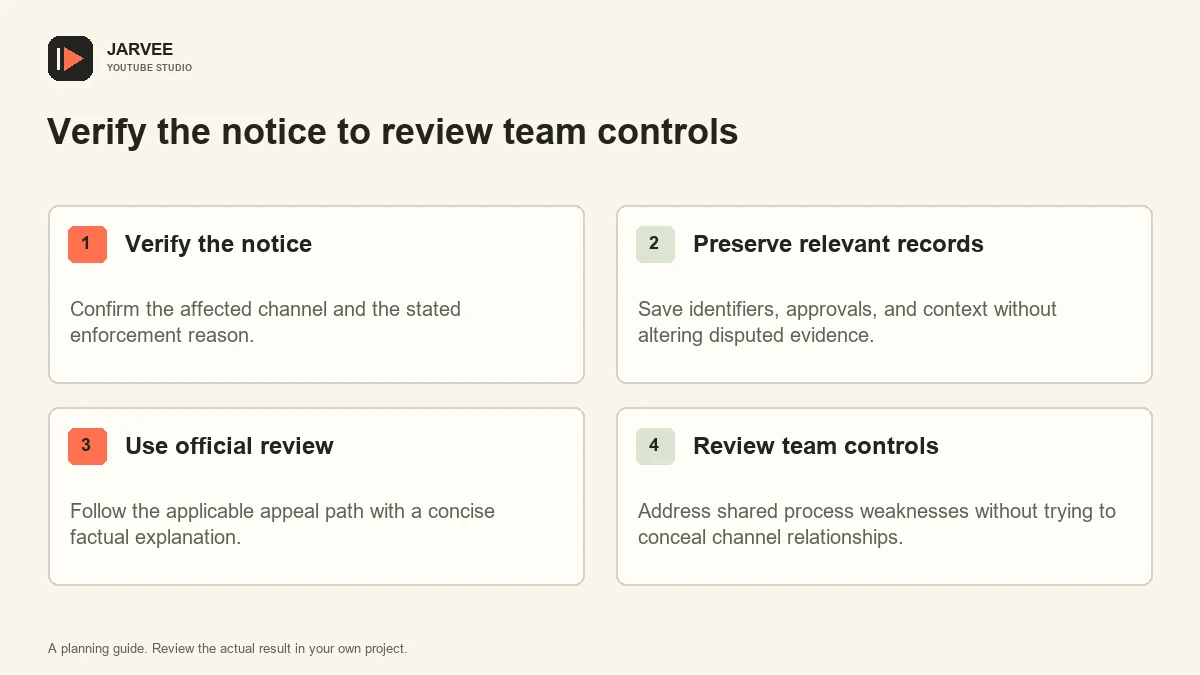
Confirm the scope of the notice
Open the account through a trusted route and inspect the information available in Studio or the official message. Record the channel identifier, notice date, stated reason, and any review instructions. Do not rely solely on a forwarded screenshot that omits context or a message containing an unfamiliar sign-in destination.
Distinguish termination from a strike, feature restriction, monetization decision, or ordinary login problem. These are different events with different processes. A team that labels every interruption a ban may choose the wrong response and lose time collecting irrelevant evidence.
Identify the person authorized to handle the case. A contractor may have worked on the channel without being the appropriate owner to submit a review. Clear responsibility reduces duplicate submissions, conflicting explanations, and accidental disclosure of account information.
Understand the circumvention rule
YouTube’s termination guidance prohibits using or creating other channels to bypass a termination and explains the official appeal route. Review that guidance before acting on related channels. Replacing devices or changing technical identifiers does not resolve the underlying policy issue.
Do not lend another channel to a terminated operator as a workaround. Do not create a replacement channel while describing it internally as a new technical environment. The relevant question is the permitted activity and ownership context, not whether a relationship can be made less visible.
If the organization has independent operations whose status is unclear, preserve their records and seek clarification through the appropriate official support or professional route for the situation. Do not improvise a universal rule from a forum anecdote or a vendor’s claim about association signals.
Preserve evidence that answers the stated reason
Keep the notice, relevant video or comment identifiers, publication records, approvals, and original assets that may explain the disputed activity. Build a timeline of what happened. Separate facts you can verify from assumptions about how an automated system reached its decision.
If the case may involve unauthorized access, preserve the relevant security observations and use the legitimate account-recovery process. Do not share session tokens or recovery codes in an editorial evidence folder. The security investigation and the policy review may need coordination while keeping sensitive material appropriately restricted.
The site’s activity review workflow can help organize intended actions, observed results, and exceptions. Use actual logs and approvals where available rather than reconstructing a confident story from memory.
Write a focused review explanation
Address the reason in the notice directly. Identify the content or activity at issue, explain the relevant context, and point to the evidence that supports your position. A long statement about the channel’s importance does not substitute for a clear explanation of why the decision should be reviewed.
Keep the wording factual. Avoid claiming that a particular device, address, or editing style proves compliance. Likewise, do not assert that an automated system made a specific technical error unless you have evidence. Describe what was published, how it relates to the policy, and what the reviewer needs to understand.
Follow the submission instructions and any stated limits. Store the exact text and submission confirmation. Do not repeatedly send slightly different appeals in the hope that one bypasses the process. A consistent record helps the authorized owner understand the case status.
Review shared process weaknesses
Regardless of the outcome, inspect the workflow that produced the disputed activity. Was responsibility unclear? Were rights approvals missing? Did a contractor use the wrong channel? Were public actions recorded without review? These questions can reveal operational problems without inventing a theory about hidden relationship scoring.
Separate remediation from concealment. Improving permissions, reviewing assets, or stopping a problematic workflow addresses a real issue. Moving the same prohibited activity to another phone does not. Document the reason for each corrective action and who is responsible for verifying it.
Our YouTube terminology guide can help distinguish claims, strikes, restrictions, and other events in internal reporting. Precise terms make the response easier to coordinate and reduce unnecessary panic across unrelated work.
Maintain an ownership and responsibility record
Keep a register of channels, responsible owners, team roles, and the business purpose of each channel. The register should not contain passwords or authentication secrets. Its purpose is to clarify who can approve changes, respond to notices, and preserve relevant evidence.
Review access when roles change or a contractor leaves. Maintain a documented escalation path for security alerts and policy notices so an operator does not attempt an improvised workaround during an incident. A clear owner can decide which official process applies.
Do not promise that these controls prevent every enforcement action. Their value is a more accountable operation and a better-supported response when something goes wrong. The organization can verify its own approvals and records even when it cannot see the platform’s internal decision process.
Close the incident with a known status
Record the official outcome, remaining restrictions, and any follow-up work. Communicate the permitted operating state to the people who need it without circulating unnecessary sensitive material. If the case remains unresolved, keep its status explicit rather than allowing normal work to resume through informal assumptions.
A responsible response centers on the notice, evidence, review process, and legitimate ownership. That approach gives the team concrete work to complete while avoiding unsupported promises that channel relationships can be safely hidden or technically erased.
Keep the internal explanation consistent
Prepare one factual incident brief for the people coordinating the response. Include the official reason, verified timeline, submitted explanation, and current status. Mark hypotheses clearly. This reduces the chance that a casual comment about a shared network becomes an accepted diagnosis that the evidence never supported.
When new information arrives, update the brief and identify what changed. Preserve earlier submissions so the owner can see exactly what the platform received. A consistent record supports responsible review and helps the organization learn from the event without turning an unresolved case into a collection of contradictory technical rumors.
KEEP EXPLORING
Put the workflow in context.
See the five YouTube tools available in SMTasker and choose the actions that fit your account.
Explore the tools